
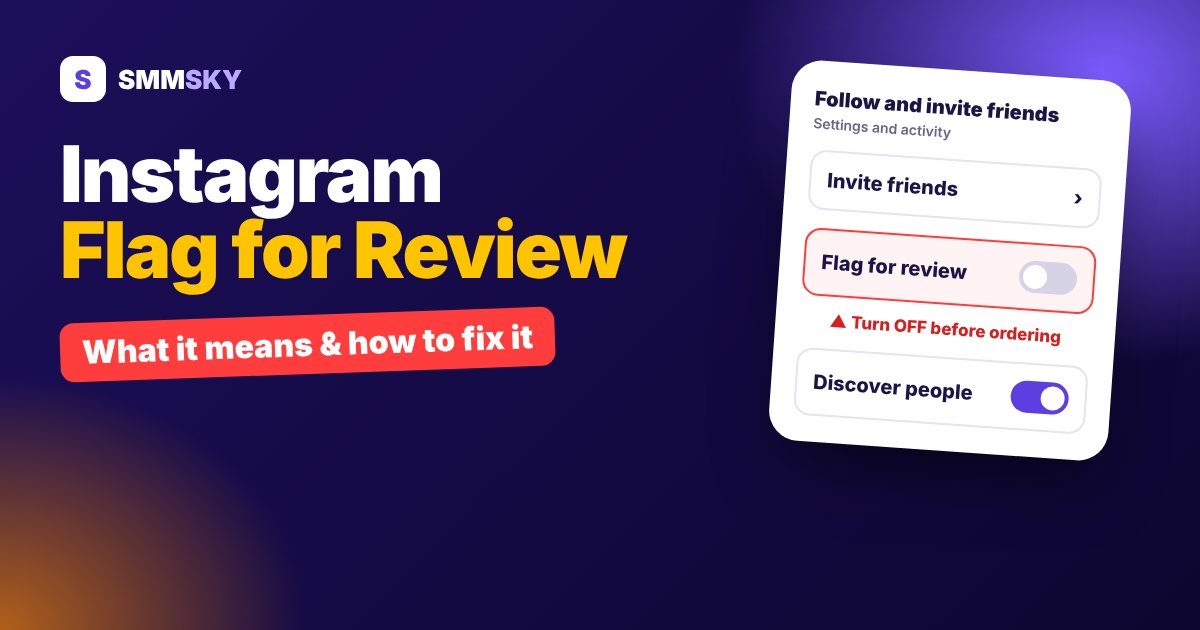
You ordered followers, the order shows Completed, but your follower count barely moved. Or the count went up and then dropped a few hours later. In most cases the reason is one Instagram setting: Flag for Review.
This guide explains what Flag for Review does, why it blocks followers from SMM panels, how to turn it off on Android and iPhone, and what to do if your followers still don't arrive.
What is "Flag for Review" on Instagram?
Flag for Review is an Instagram setting that checks every new follower. If Instagram thinks a follower account looks suspicious, it does not add that follower to your list straight away. It "flags" the account and holds it for review.
Instagram looks at signals like these:
- The account is new or has no profile photo
- It has few or no posts
- It follows many accounts in a short time
- Many accounts with a similar pattern follow you at once
Flagged followers are not shown in your follower count. Many of them are removed quietly in the background.
Why it matters when you buy followers
Followers from an SMM panel arrive fast, often hundreds within minutes. Even good quality followers can look "unusual" to Instagram when they come in that quickly. With Flag for Review turned on, this is what usually happens:
- The panel delivers the full quantity, so the order is marked Completed.
- Instagram holds or removes many of those followers.
- Your count shows only part of the order, or goes up and then drops.
The panel has sent the followers, but Instagram filtered them. That is why most SMM panels, including SMMSKY, ask you to turn this setting off before you place a follower order.
How to turn off Flag for Review (Android and iPhone)
The steps are the same on Android and iPhone. Menu names can change slightly between Instagram versions.
- Open Instagram and go to your profile.
- Tap the ☰ menu (three lines) at the top right.
- Open Settings and activity.
- Scroll down and tap Follow and invite friends.
- Find Flag for review and switch the toggle off.
Can't find it? Type "flag" in the search bar at the top of Settings and activity. Instagram is rolling settings out in stages, so a few accounts don't show this option yet. If you don't see it, your account doesn't have the filter turned on, and you can order normally.
Checklist before you order Instagram followers
- Flag for Review is off.
- Your account is public. Followers cannot be added to a private account.
- Username is correct. Don't change your username while the order is running.
- Only one order at a time for the same link. Two running orders on the same link can't track the count correctly.
- Pick a refill service if you want protection against drops later.
Already ordered with Flag for Review on?
Don't panic. Here is what to do:
- Turn Flag for Review off now. New followers from a running order will start to count.
- Wait until the order is completed.
- If your order has a refill guarantee, use the Refill button on the Orders page after the order completes. The panel will send the missing followers again.
- If the service has no refill, open a ticket with your order ID. Our team will check what was delivered.
Followers that Instagram already removed while the setting was on are not counted as a panel drop. That's why it is best to check the setting first, every time.
Is it safe to turn Flag for Review off?
Yes. Turning it off does not put your account at risk and does not break any Instagram rule. It only means Instagram will not hold back new followers for review. You can still remove any follower yourself, and you can switch the setting back on after your order is complete and your count is stable.
A good panel never asks for your password. On SMMSKY you only paste your public profile link. Read more in Is an SMM Panel Safe?
Other reasons followers can drop
If Flag for Review is already off and you still see a drop, check these:
- Instagram clean-up waves. Instagram removes inactive accounts from time to time. All panels see drops in these weeks. Refill services cover this.
- Low quality, no-refill service. The cheapest services usually drop more. Compare start time, speed and refill before you order.
- Account was private for a while. Delivery stops when the account is private.
Learn what refill means and how long it lasts in SMM Panel Refill Meaning.
Order Instagram followers on SMMSKY
SMMSKY has Instagram followers with refill and low drop, Indian and global, starting from a few rupees per 1000. Every service shows its average completion time, so you know what to expect before you pay. You can add funds with UPI from just ₹1, or pay with Binance Pay and crypto from outside India.
See Instagram follower services and prices →
New to SMM panels? Read How to Order on an SMM Panel or see our tips to grow a new Instagram account.
FAQ
What does Flag for Review mean on Instagram?
It is a setting that holds suspicious new followers for review instead of adding them to your list straight away. Many of those followers are later removed.
Where is Flag for Review in Instagram settings?
Profile → ☰ menu → Settings and activity → Follow and invite friends → Flag for review.
Why is my follower order completed but my count did not go up?
In most cases Flag for Review was on, so Instagram held or removed the new followers. Turn it off and use the Refill button if your service has refill.
Is it safe to turn off Flag for Review?
Yes. It only stops Instagram from holding new followers for review. It does not affect your account's safety, and you can turn it back on later.
I can't find the Flag for Review option. What should I do?
Search "flag" in Settings and activity. If it still doesn't appear, the feature isn't active on your account, and you can place your order normally.